ScreenQR
画面のQRコードを、⌥⌘Qひとつで。Any QR code on your screen. One shortcut.
Macの画面に映ったQRコードやバーコードを、⌥⌘Q ひとつで読み取ってコピー。スマホを取り出してカメラを構える必要はもうありません。
Read any QR code or barcode on your Mac screen with ⌥⌘Q and copy it instantly. Stop reaching for your phone.
- 買い切り・サブスクなし
- データ収集なし
- Mac専用設計
- Pay once, no subscription
- No data collected
- Built for Mac
macOS 14 Sonoma以降 · Apple Silicon / Intel · 30言語
macOS 14 Sonoma or later · Apple silicon & Intel · 30 languages
こんな場面でMade for moments like these
オンライン会議・資料Meetings & slides
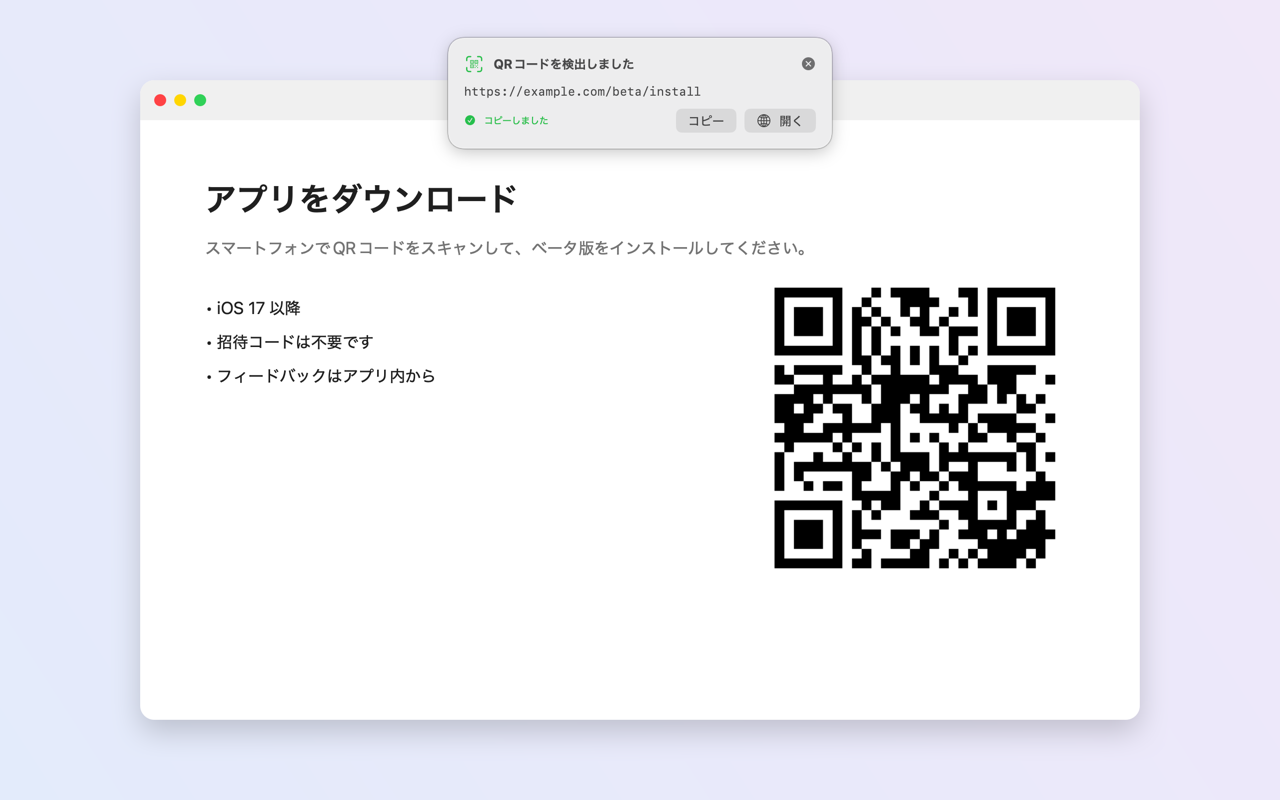
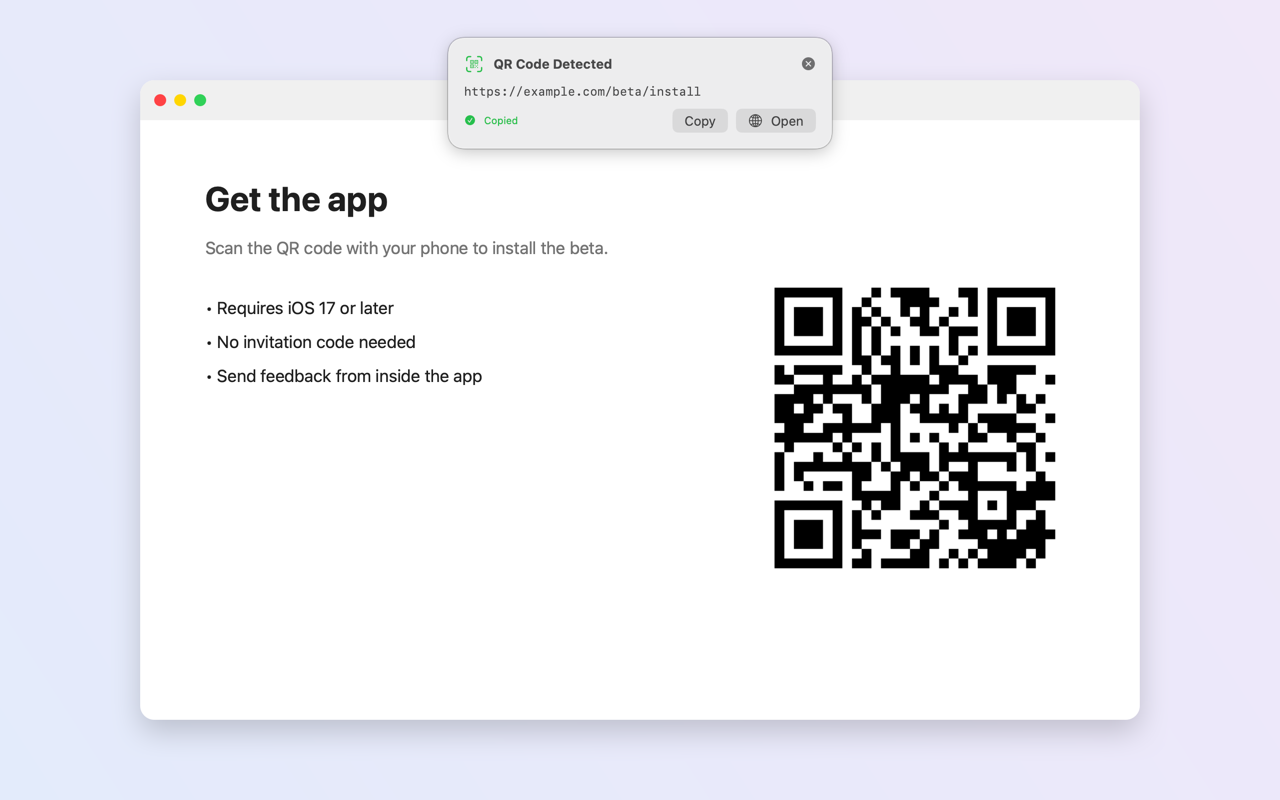
画面共有やPDFに出てきたQRを、その場で開く。Open a QR code from a shared screen or PDF right away.
Webページ・SNSWeb pages & social
アプリ配布リンクやキャンペーンのQRをMacで直接。App links and campaign codes, straight on your Mac.
Wi-Fi 接続情報Wi-Fi credentials
パスワードを手入力せずにワンクリックでコピー。Copy the password in one click instead of typing it.
名刺・イベントContacts & events
画像の中の連絡先や予定を、そのままアプリに追加。Add contacts and calendar events from an image directly.
スマホのQRアプリとの違いHow ScreenQR is different
「画面のQRを読む」ことだけに絞った、Macのためのアプリです。A Mac app focused on one job: reading the codes on your screen.
| 項目 | 一般的なQRアプリ | ScreenQR |
|---|---|---|
| 読み取り方 | スマホのカメラを画面に向ける | ⌥⌘Q で画面から直接 |
| 料金 | 週・年単位のサブスクが多い | ¥480 の買い切り |
| データ | 解析・広告SDKを含むことが多い | 収集なし・通信機能なし |
| 設計 | スマホ向けアプリの流用 | Macのメニューバーに常駐 |
| Aspect | Typical QR apps | ScreenQR |
|---|---|---|
| How you scan | Point a phone camera at the screen | ⌥⌘Q, straight from the screen |
| Price | Often weekly or yearly subscriptions | $3.99, pay once |
| Data | Often include analytics or ad SDKs | Nothing collected, no network access |
| Design | Phone apps ported to Mac | Native Mac menu bar app |
機能Features
ショートカット1つOne shortcut
⌥⌘Q(変更可)で画面上のコードを自動検出し、内容をコピー。Press ⌥⌘Q (customizable); the code is found and its contents copied.
複数でも迷わないSeveral codes? Pick one
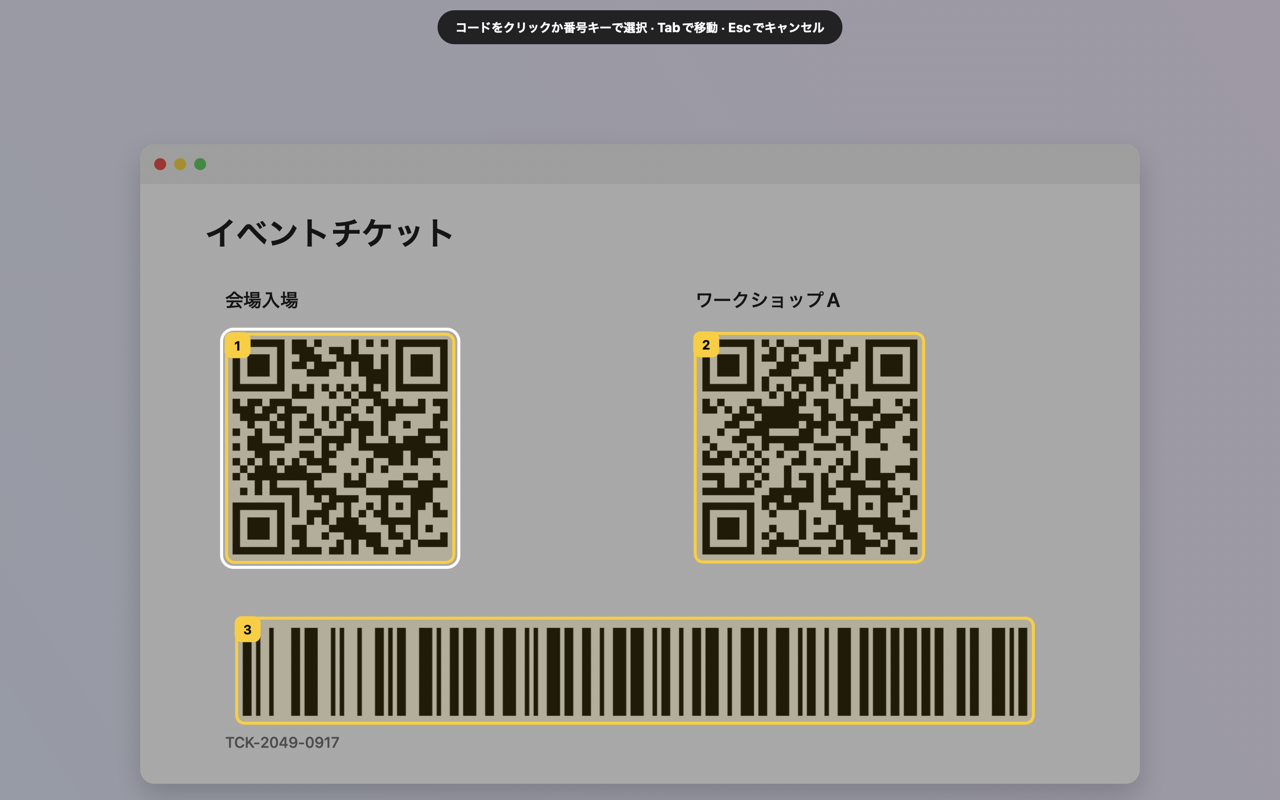
番号付きの枠をクリックか数字キーで選択。見つからなければ範囲をドラッグ。Numbered frames, selectable by click or number key. Drag a rectangle when nothing is detected.
内容に合わせたアクションSmart actions
URLは好きなブラウザで、Wi-Fiはパスワードをコピー、連絡先・予定はそのまま追加。Links in the browser you choose, Wi-Fi passwords copied, contacts and events added directly.
バーコードもBarcodes too
EAN/UPC、Code 128、Data Matrix、PDF417、Aztec など。EAN/UPC, Code 128, Data Matrix, PDF417, Aztec and more.
完全ローカル100% on-device
ネットワーク権限自体を持たないサンドボックス設計。画像も結果も外に出ません。App Storeのプライバシー表示も「データの収集なし」。Sandboxed with no network entitlement. Nothing can leave your Mac. App Store privacy label: Data Not Collected.
履歴History
直近50件をメニューバーから再コピー。Mac内にのみ保存。Re-copy your last 50 scans from the menu bar. Stored only on this Mac.
よくある質問FAQ
購入後に追加料金はかかりますか?
かかりません。¥480の買い切りで、サブスク・アプリ内課金・広告はありません。
なぜ「画面収録」の許可が必要なのですか?
画面上のQRコードを探すためです。取得するのは読み取りを実行した瞬間の1フレームだけで、保存も送信もしません。アプリにはネットワーク通信の権限自体がありません。
紙に印刷されたQRコードも読めますか?
いいえ。ScreenQRはMacの画面に表示されたコード専用で、カメラでの読み取りには対応していません。
画像ファイルの中のQRコードは?
プレビューなどで画像を画面に表示すれば、そのまま ⌥⌘Q で読み取れます。
動作環境は?
macOS 14 Sonoma以降、Apple Silicon・Intel の両方に対応しています。
Are there any extra charges after purchase?
No. It is a one-time $3.99 purchase with no subscription, no in-app purchases and no ads.
Why does it need Screen Recording permission?
To find QR codes on your screen. It captures a single frame only when you trigger a scan, and never stores or sends it. The app has no network entitlement at all.
Can it read printed QR codes?
No. ScreenQR reads codes shown on your Mac screen; it does not use the camera.
What about QR codes in image files?
Open the image on screen (for example in Preview) and press ⌥⌘Q.
What are the requirements?
macOS 14 Sonoma or later, on Apple silicon or Intel Macs.
スマホを取り出すのは、もう終わり。Leave your phone in your pocket.
¥480の買い切り。一度買えばずっと使えます。$3.99, pay once. Yours to keep.
Mac App Storeで入手 Get it on the Mac App Store使い方とサポートHow to use & support
- 起動するとメニューバーにQRアイコンが表示されます(Dockやウインドウはありません)。
- システム設定 › プライバシーとセキュリティ › 画面収録 で ScreenQR をオンにし、アプリを再起動します。
- QRコードを画面に表示して
⌥⌘Qを押します。
ショートカットを押しても何も起きない
画面収録の許可後に再起動が必要です。他アプリと競合する場合は 設定 › キーボードショートカット で変更できます。
お問い合わせ
- Launch ScreenQR; it lives in the menu bar (no Dock icon, no window).
- Enable it under System Settings › Privacy & Security › Screen Recording, then relaunch.
- Show a QR code on screen and press
⌥⌘Q.
Nothing happens when I press the shortcut
Relaunch after granting Screen Recording. If another app uses the same shortcut, change it in Settings › Keyboard Shortcut.